Home Screen
Rotating movie posters make it easy to recognize films quickly and choose the next screening without scrolling through text-heavy menus.
The Landmark Cinemas website reveals the current ordering flow for movie tickets: a list of movies, showtimes, seat maps, ticket types, and an online payment flow. The website is efficient, but a kiosk environment needs clearer scheduling, better payment variety, and a stronger visual hierarchy for quick in-theatre use.
Based on the target movie-goer profile, this persona represents a busy professional who values quick, efficient ticket purchasing at the theatre.
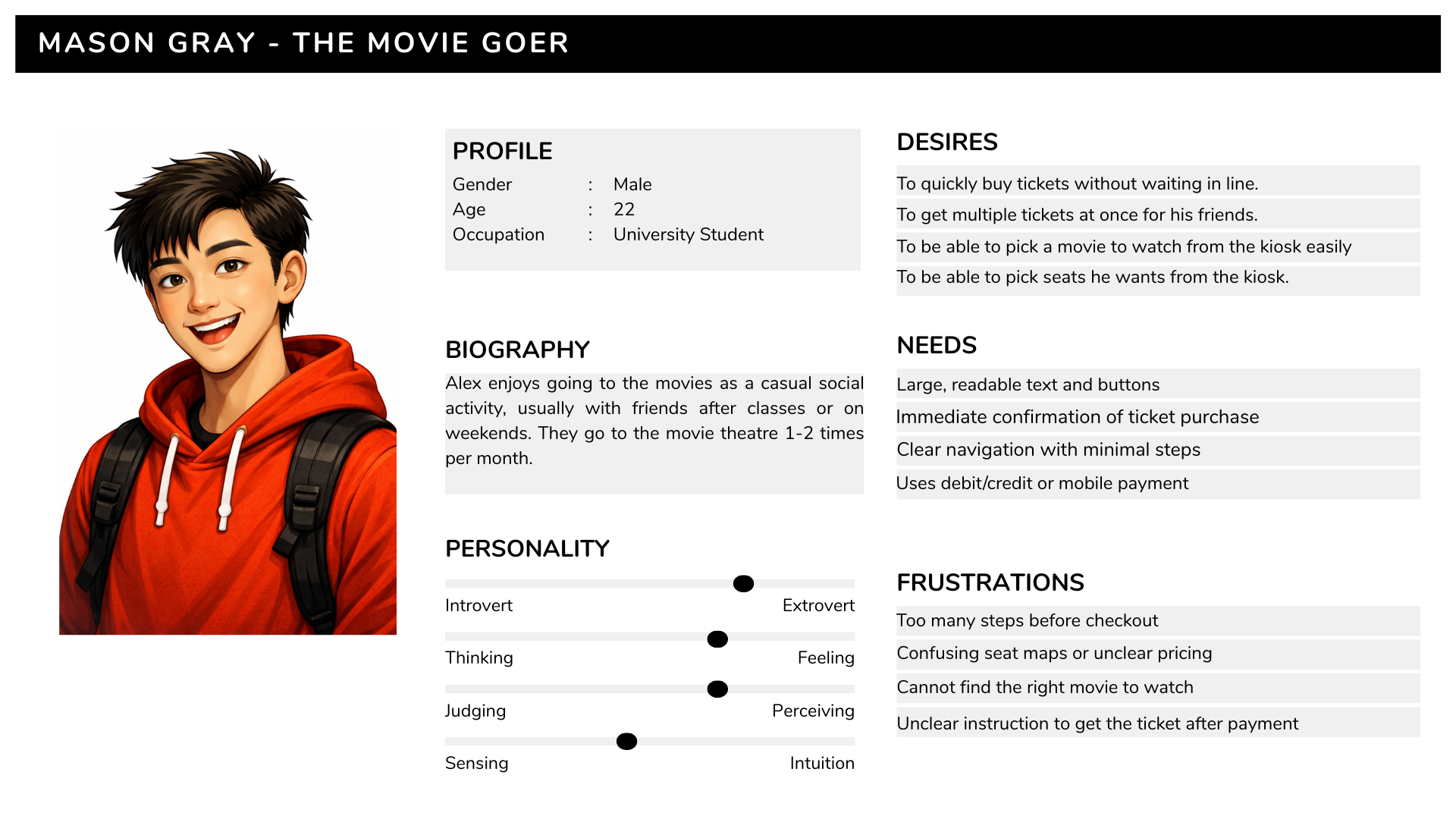
The kiosk supports a fast movie selection flow with poster-based browsing, an ordered list of showtimes, seat map selection, and a clear multi-ticket ordering flow. The system is built for users already at the theatre who want an efficient and intuitive ticket purchase experience.
Rotating movie posters make it easy to recognize films quickly and choose the next screening without scrolling through text-heavy menus.
Showtimes are sorted by screening time with expandable details so users can quickly choose the right session and view runtime, rating, and format.
Theatre layout, seat types, and availability are shown clearly so users can select the best seats at a glance.
Users can add multiple tickets and reserve seats together in a single flow, reducing confusion and checkout friction.
The payment screen keeps the total cost visible and offers multiple payment options to make checkout faster and more accessible.
Early wireframes explored the kiosk interface flow from movie selection to ticket purchase.
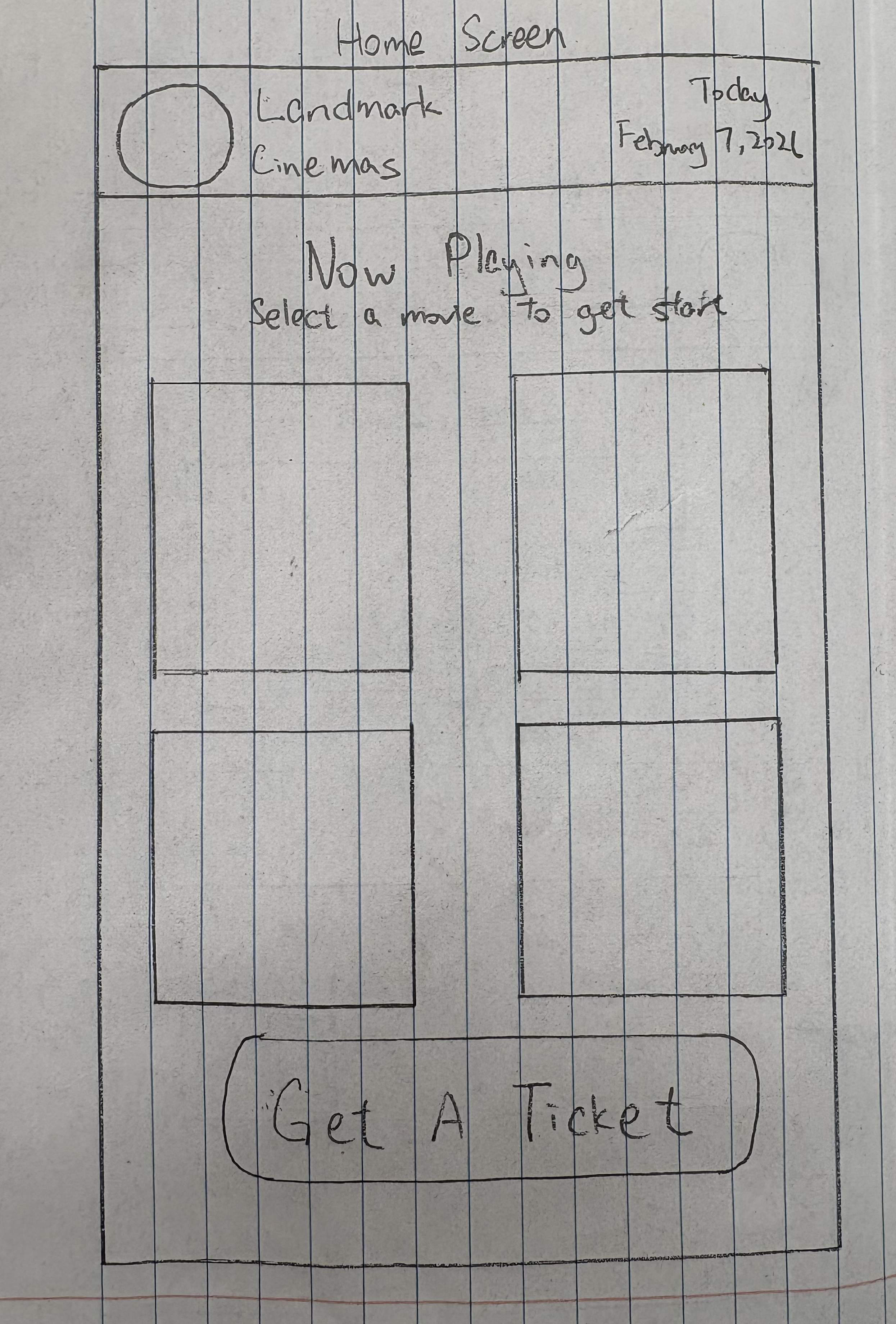
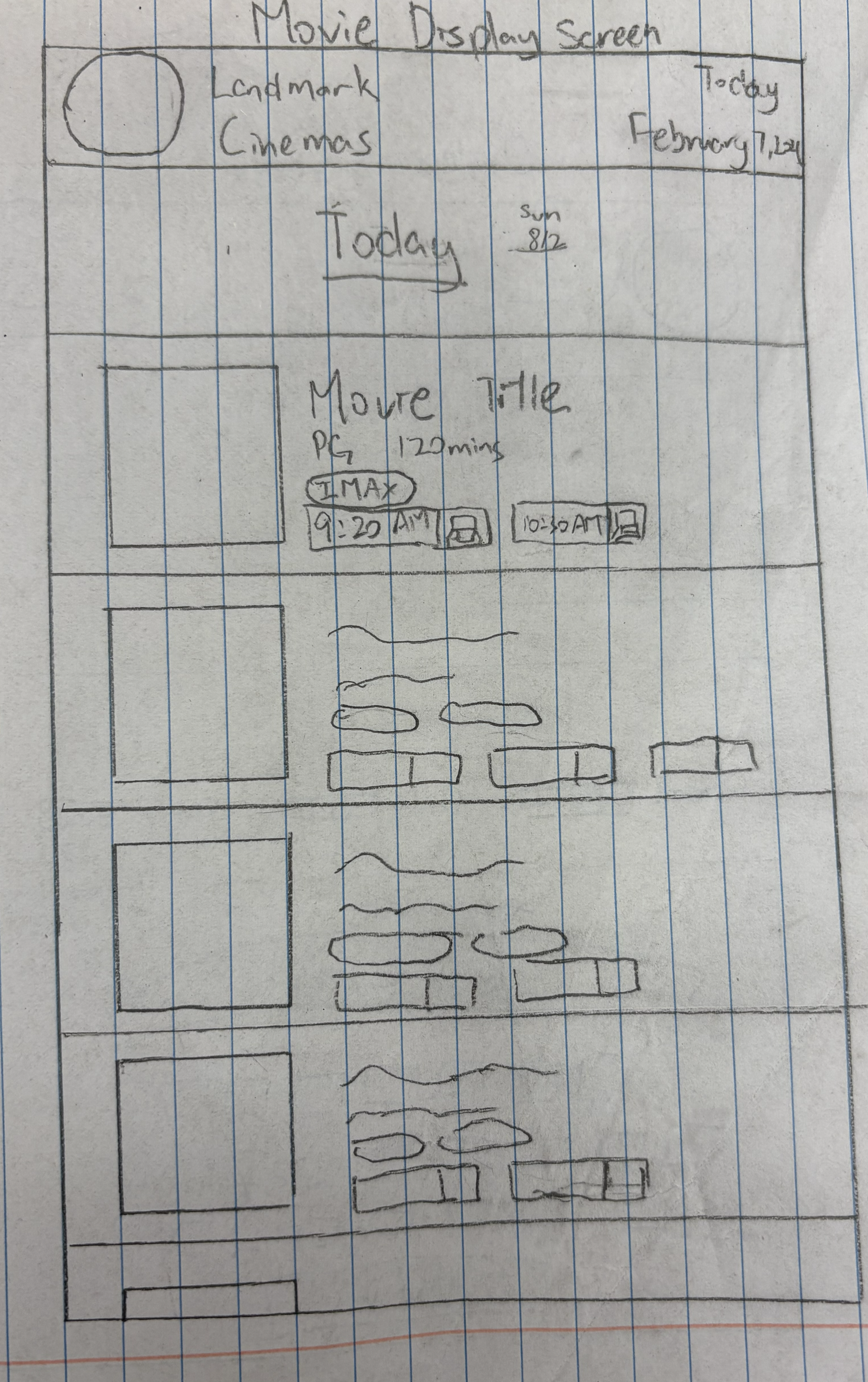
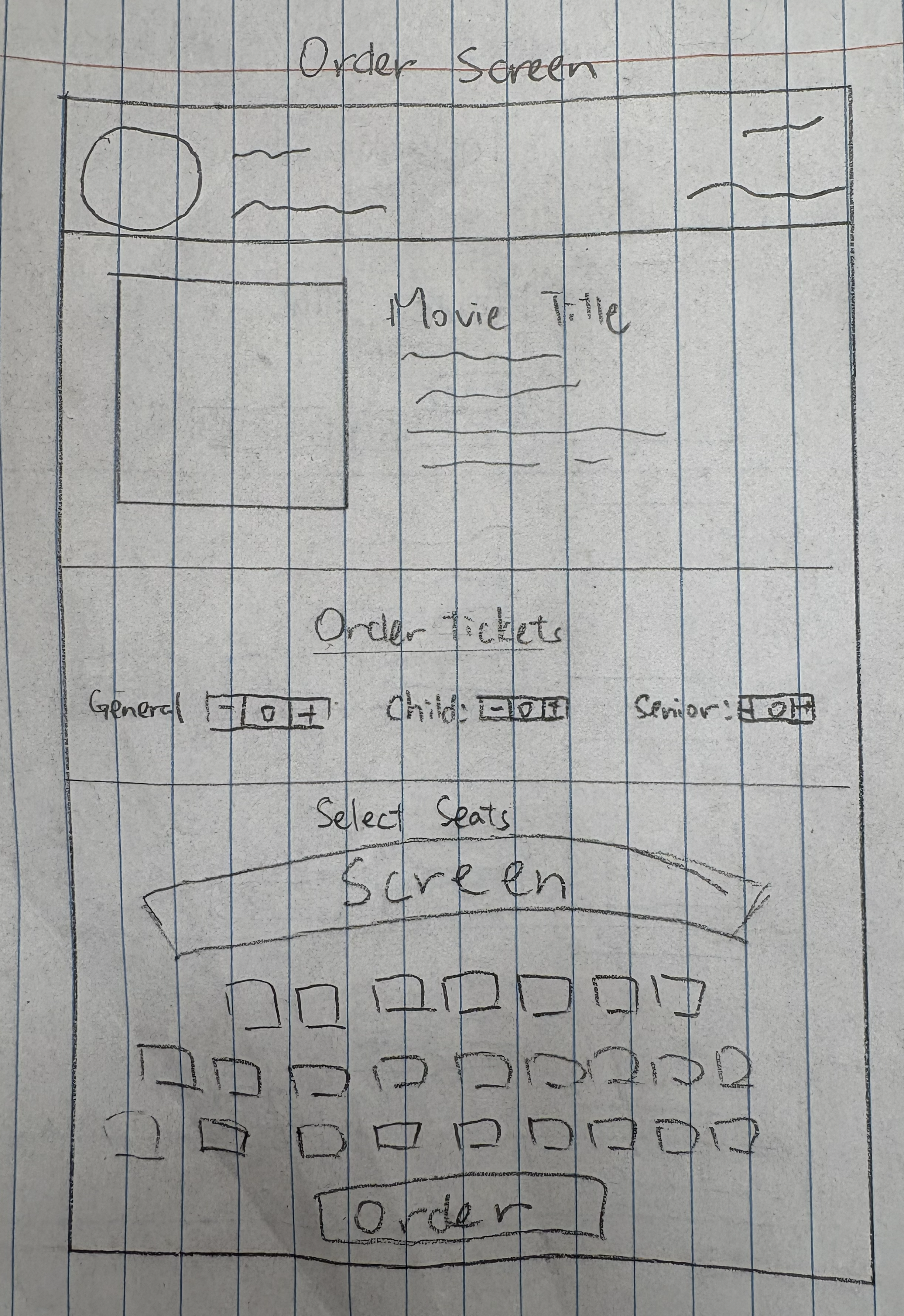
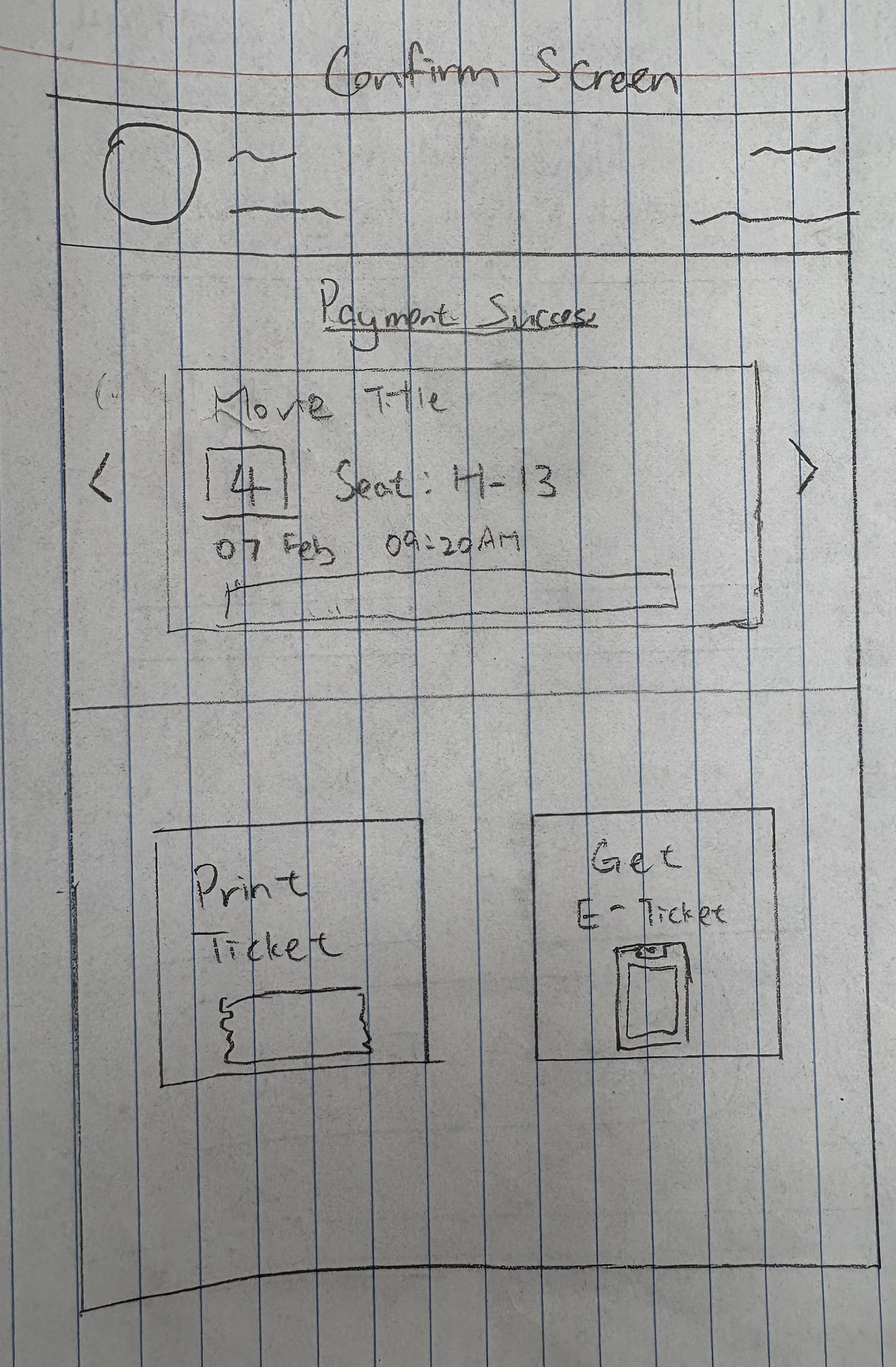
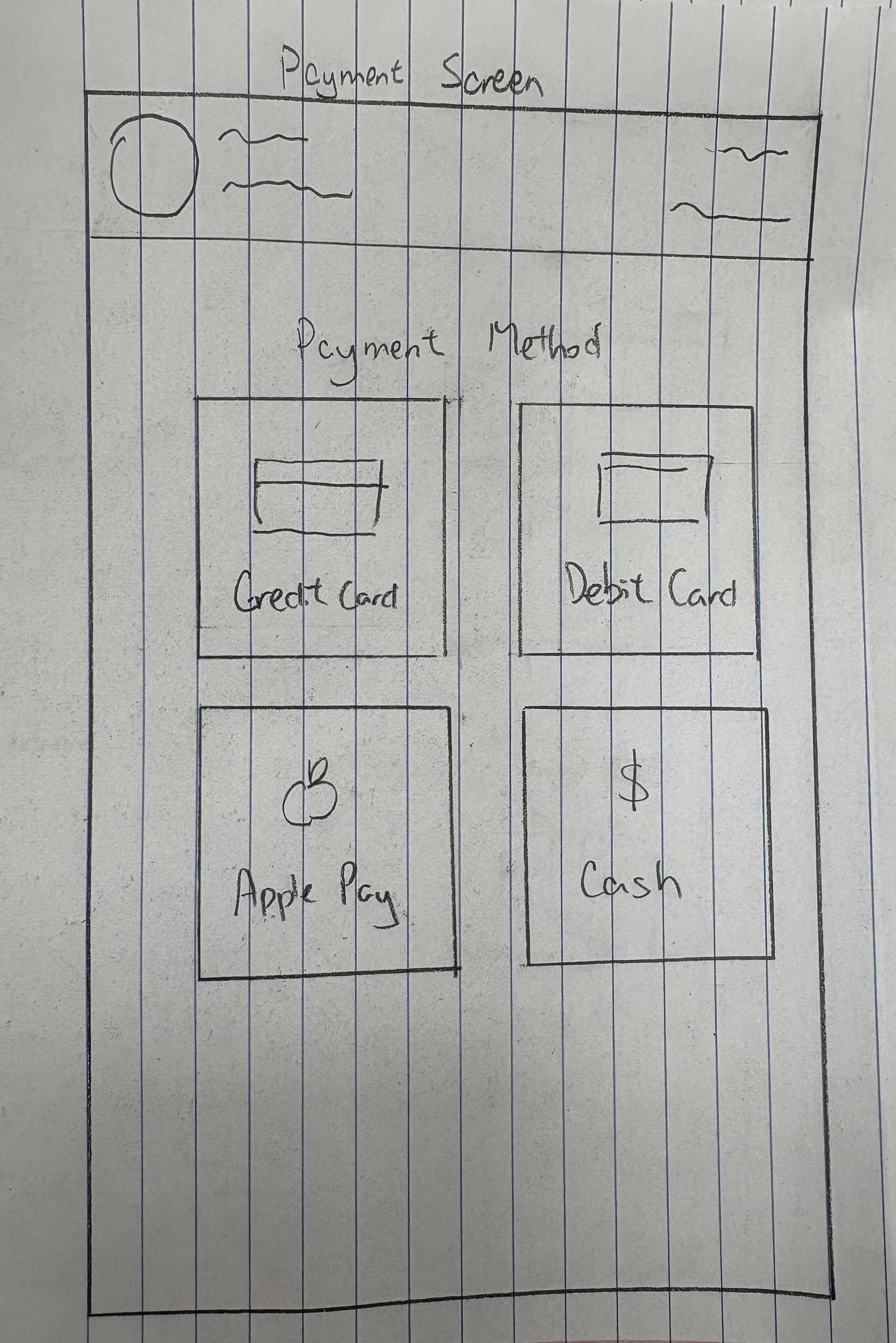
User testing with classmates highlighted two main improvements: expanding movie cards for optional details, and displaying payment totals directly on the payment screen.
Figma prototypes were used to create a clickable flow for the ticket kiosk. The design includes a home carousel, movie list, seat selection, order review, and payment confirmation screens.
Prototype: Figma prototype